Help center
Support
Real product flows for installing Cyer, signing in, updating, and connecting AI you already pay for. Builds are unsigned beta — SmartScreen and Gatekeeper warnings are expected until paid signing is funded.
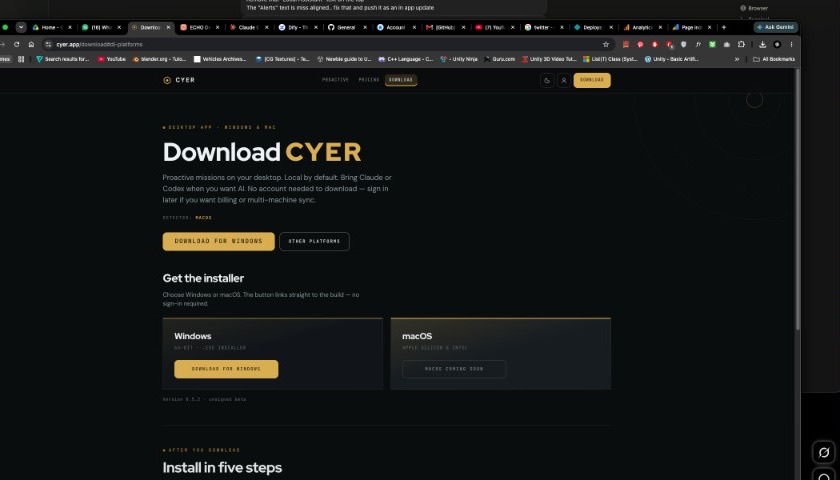
Getting started
Install once, then use Settings for account and AI.
Install & first launch
Download the installer, clear SmartScreen or Gatekeeper, run onboarding, and land on Briefing.
Read guide → AccountSign in with Google
Optional. Same account for website billing and desktop Settings → Account. Notes stay local.
Read guide → UpdatesDownload & updates
First install from the download page; later versions via Settings → About → Check for updates.
Read guide → FixesTroubleshooting
SmartScreen, macOS quarantine, updater notices, hotkeys, and when to email diagnostics.
Read guide →Connect your AI
Cyer does not sell AI tokens. Open Settings → Integrations and connect tools you already have — or free local AI.
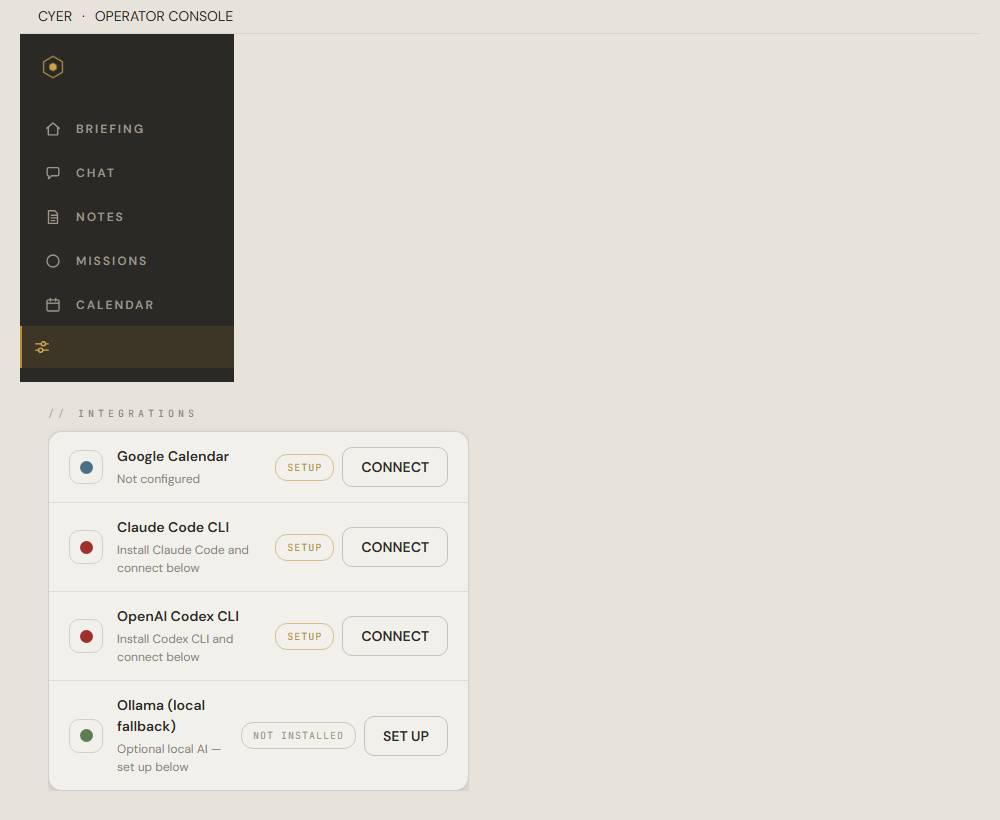
Connect Claude Code CLI
Use your Claude Pro account for AI chat inside Cyer. Install the CLI, sign in, and connect.
Read guide → OpenAIConnect Codex CLI
Use your ChatGPT subscription with OpenAI Codex CLI. Install, sign in, and connect.
Read guide → Free & localInstall Ollama
Optional backup AI that runs on your PC. Good when you are offline or cloud AI is unavailable.
Read guide →Quick answers
- Download is public — no website account required. Sign in later for billing or the same plan on another machine.
- Unsigned beta: Windows SmartScreen → More info → Run anyway. Mac Gatekeeper → Open Anyway in Privacy & Security (or clear quarantine).
- You do not need a Cyer subscription for AI chat — connect Claude, Codex, or Ollama yourself.
- Open Cyer → Settings → Integrations to connect any AI provider. Optional MCP for Claude Desktop is covered in the Claude guide.
- Keyboard shortcuts: WinShiftC Ask Cyer · WinShiftY command palette · WinShiftZ quick note · WinShiftX quick mission (⌘+Shift+C/Y/Z/X on macOS)
- More product questions? See the FAQ on the home page.
Still stuck?
Email us at hello@cyer.app. Tell us your OS, which step failed, and what you saw. From the app you can export diagnostics in Settings → About if we ask for them.